Friday, July 24, 2009

Yet another Free magazine style Revolution City Blogger Template

This is my sixth converted revolution wordpress theme into blogger.You may visit Blogger Templates directory page to see all these excellent blogger Templates.This Revolution city is converted into blogger on the request of one of our reader.You might too like this template.see the snapshot and demo below to experience this template more.


If you really like this blogger template would like to use it for your blog then leave your Email Id here.We will send you this free blogger template in your Email Inbox.If you got any problems,comments or suggestions about this template then leave it here in our comment section.We will surely appreciate it.Thanks

We have now made the template download link public.I have spent couple of hours for converting this template for blogger users.I have not charged any amount of money for downloading  this free template.

If you think this template costs a little then please help me spread this template by posting it in digg,reddit.stumbleupon or just post about this template in your blog.You can also comment me about this template.Your little support will encourage me to do more good works in future.Your support will be appreciated.Thanks.


download this template

Total downloads :


Sunday, July 19, 2009

Entrecard got acquired by ziprunner

This might be a good or bad news to the blogger that entrecard.com has been acquired by ziprunner Inc.Entrecard says thet Zip runner was chosen out of a number of potential suitors because of the resources they can dedicate to the project, their exciting vision for the company’s future, and their understanding of social
media and the blogosphere.

 We dont really care about the name of the owner of the companies.The only thing we care is about the services that we get from them.We hope to get more and more services from entrecard in future that helps us earn more traffic from entrecard and thats all.

Sunday, July 12, 2009

Ultimate blogging wordpress Theme for blogger

This template is posted on bloganol on the request of Signnetdollars for all the blogger users.This template is a professional type of blogger Template with two section column.

Demo | Download

The download Links has been removed on the request of the original wordpress theme designer.We will again publish the link here if the original theme designer give us permission to publish it here the in future.Sorry for your Inconvenience.

Features of this Template
  • This Template is professional type of blogger Template with stylish look.
  • This template has got auto related posts widget that show related posts automatically below each post.
  • This template is Google adsense Optimized.
  • This template consists of different slots for placing 125x125px banner ad.
  • This template hasd got stylish Subscription widget.
  • This template is two column designed.
  • This template has got three section footer at the footer of the blog.
Template Customization

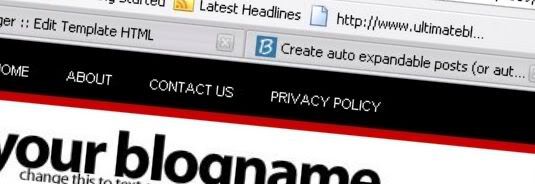
1.  Header menu

<div class='bar'>
<ul>
<li><a expr:href='data:blog.homepageUrl'>Home</a></li>
<li><a href='http://www.bloganol.com/' title='About'>About</a></li>
<li><a href='http://www.bloganol.com/' title='Contact us'>Contact us</a></li>
<li><a href='http://www.bloganol.com/' title='Privacy policy'>Privacy Policy</a></li>
</ul>
<form action='\search\' id='searchform' method='get' name='searchform'>
<fieldset>
<input class='text' id='s' name='s' type='text' value=''/>

</fieldset>
</form> </div>


2.  Header ad

<div class='ad'>
<a href='http://www.bloganol.com'><img src='http://www.ultimatebloggingtheme.com/img/ad-header.jpg'/></a>
</div>


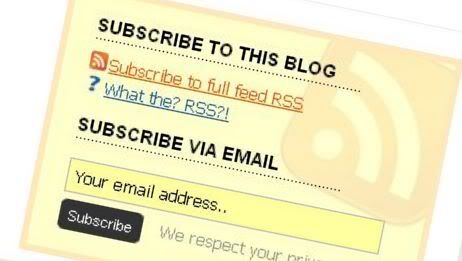
3.  Subscription box at Top
<div class='third'>
<h2>Subscribe to this blog</h2>
<a class='rss' href='http://feeds2.feedburner.com/bloganol' rel='nofollow'>Subscribe to full feed RSS</a><br/>
<a class='what' href='http://'>What the? RSS?!</a>
<form action='http://www.feedburner.com/fb/a/emailverify' class='subscribeform' method='post' onsubmit='window.open(&apos;http://www.feedburner.com/fb/a/emailverifySubmit?feedId=problogging&apos;, &apos;popupwindow&apos;, &apos;scrollbars=yes,width=550,height=520&apos;); return true;' target='popupwindow'>
<fieldset>
<h2>Subscribe Via Email</h2>

<input class='text' name='email' onblur='if (this.value == &apos;&apos;) {this.value = &apos;Your email address..&apos;;}' onfocus='if (this.value == &apos;Your email address..&apos;) {this.value = &apos;&apos;;}' type='text' value='Your email address..'/>
<input class='btn' type='submit' value='Subscribe'/>
<span class='privacy'>We respect your privacy.</span>
<input name='url' type='hidden' value='http://feeds.feedburner.com/~e?ffid=problogging'/>
<input name='title' type='hidden' value='http://www.bloganol.com'/>
<input name='loc' type='hidden' value='en_US'/>
<input class='submitButton' type='hidden' value=''/>
</fieldset>

</form> </div>

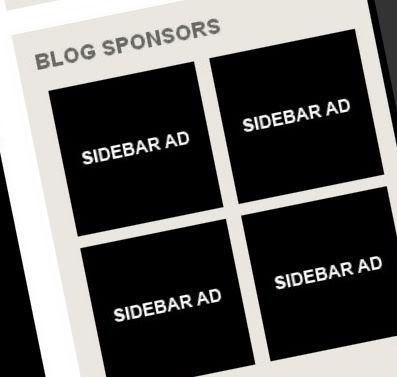
4. Blog Sponsors

<div class="cfac_containe">
<div class="cfac_code_left"><a href="http://www.ultimatebloggingtheme.com"><img src="http://www.ultimatebloggingtheme.com/img/ad-sidebar.jpg"/></a></div>
<div class="cfac_code_right"><a href="http://www.ultimatebloggingtheme.com"><img src="http://www.ultimatebloggingtheme.com/img/ad-sidebar.jpg"/></a></div>
<div class="cfac_code_left"><a href="http://www.ultimatebloggingtheme.com"><img src="http://www.ultimatebloggingtheme.com/img/ad-sidebar.jpg"/></a></div>
<div class="cfac_code_right"><a href="http://www.ultimatebloggingtheme.com"><img src="http://www.ultimatebloggingtheme.com/img/ad-sidebar.jpg"/></a></div>
<div class="cfac_clear"></div></div>

5.  Subscription box at Post Footer


<div class='subscribe'>
<h4>Subscribe to this blog</h4>
<a class='rss' href='http://feeds2.feedburner.com/problogging' rel='nofollow'>Subscribe to full feed RSS</a><br/>
<a class='what' href='http://'>What the? RSS?!</a>
<form action='http://www.feedburner.com/fb/a/emailverify' class='subscribeform' method='post' onsubmit='window.open(&apos;http://www.feedburner.com/fb/a/emailverifySubmit?feedId=problogging&apos;, &apos;popupwindow&apos;, &apos;scrollbars=yes,width=550,height=520&apos;); return true;' target='popupwindow'>
<fieldset>

<h4>Subscribe Via Email</h4>
<input class='text' name='email' onblur='if (this.value == &apos;&apos;) {this.value = &apos;Your email address..&apos;;}' onfocus='if (this.value == &apos;Your email address..&apos;) {this.value = &apos;&apos;;}' type='text' value='Your email address..'/>
<input class='btn' type='submit' value='Subscribe'/>
<span class='privacy'>We respect your privacy.</span>
<input name='url' type='hidden' value='http://feeds.feedburner.com/~e?ffid=problogging'/>
<input name='title' type='hidden' value='http://www.bloganol.com'/>
<input name='loc' type='hidden' value='en_US'/>
<input class='submitButton' type='hidden' value=''/>

</fieldset>
</form> </div>


6.   Middle Ad


<div class='ad'><a href='http://www.bloganol.com'><img src='http://www.ultimatebloggingtheme.com/img/ad-middle.jpg'/></a></div> 


7.  Footer ad
<div class='ad'><a href='http://www.bloganol.com'><img src='http://www.ultimatebloggingtheme.com/img/ad-footer.jpg'/></a></div>


8. Related posts widget
This widget is already fully customized.

Saturday, July 11, 2009

Request a Free Blogger Template on Bloganol

If you want your desired wordpress theme to be converted for Blogger then request it here in the same format as below.We will try to make the theme available to you as soon as we can.Using this service is totally free.So let us know about your desired wordpress theme to be converted into blogger.

Theme title :
Theme demo link :
Theme Author :

Thursday, July 9, 2009

Create auto expandable posts (or auto readmore) in blogger with image thumbnails

If we go back to the method of creating auto expandable posts it has really changed a lot.First we have to use <span class="fullpost"> tags in each posts for creating expandable posts.This method was really boring and contains lots of drawbacks.Therefore there should be new easy method for creating expandable posts and then new method is here.


This new method of creating auto readmore helps you to create all of your posts expandable from the first post of your blog.It also shows the thumbnail of the post in the front page.You dont have to use any tags for it.You just have to add some codes to your blog and the work is done.If you want to create these types of expandable posts the follow the simple steps below.

Before you perform any hack remember to backup your template so that you might restore your previous template in future.For this click download full template in your blogger Edit HTML page.

First of all search for the following code in your blog Edit HTML page.
<data:post.body>

Now in the second step replace the above code with the following block of codes.
<b:if cond='data:blog.pageType != "item"'>
<div expr:id='"summary" + data:post.id'><data:post.body/></div>
<script type='text/javascript'>createSummaryAndThumb("summary<data:post.id/>");</script>
<span class='rmlink' style='float:right'><a expr:href='data:post.url'>Read more>></a></span>
</b:if>
<b:if cond='data:blog.pageType == "item"'><data:post.body/></b:if>

Now in the last step paste the following block of code just above </head> in your blog.

<script type='text/javascript'>
summary_noimg = 450;
summary_img =350;
img_thumb_height = 100;
img_thumb_width = 100;
</script>
<script src='http://deineshd.110mb.com/read-more_auto.js' type='text/javascript'/>


Now Save your Template to see the result.

Tuesday, July 7, 2009

Blogger post page views counter tool

This is the simplest and also interesting tool for blogger.This tool shows you how many times has the post been viewed since the widget has been installed in the blog.

To show the total no of the posts viewed copy the following code and paste it to your blog.But remember one thing that showing your number of views in good below post title or other some highlighting area.

<b:if cond='data:blog.pageType == &quot;item&quot;'>
<div id='views-counter'>
<script src='http://wizom.net/counter.php' type='text/javascript'/> views
</div></b:if>

Friday, July 3, 2009

The differences I have seen between different Google adsense payment Methods

Since I have been using Google adsense for more than three years there have been occured many changes in the google adsense along with the payment method.The drop of pin code to min $10,Western union payment method,ad customization are the main positive changes that I have seen in Google adsense.The removal of google adsense referrals was the negative effect.

Taking about the different Google Adsense earning payment options I have experienced two types of payment methods and they are : Payment through check and Payment through Western Union.Now lets talk about these different payment methods.First the earning of the previous month is calculated in the first week then upto 15th to remove any holds.Then our earning via check will be sent by the last week of the month then we can get through different methods.

Payment through check
This is the most boring and hated payment method of Google adsense.It takes lots of time to get our earned money.It takes time according to the method selected for sending payment check either by Standard method or Express Method.It takes around a week for Standard and around 4-6 week for Express.If we choose Standard they will send our earning via DHL.You can also track your check location by the track number of the document.But in my case I see the Tracking no in payment history page after I got my check delivered.Then you have to deposit that check in bank and wait for the money to get deposited in your account.In my case it takes around 4-6 weeks.Therefore I always wait for the alternative of this paym,ent method.

Payment Through Western Union
This is my long awaited method of Google Adsense payment method.It is 100 times better then the payment system from check. This system has just started or arrived in my country.After you get the payment number in your Google adsense payment history page goto the nearest Western Union agent and withdraw your payment within 5 minutes.You just need is the Payment number and some official identity proof of the person on whose name the payment is arrived.Official identity proofs includes your Citizenship card,Passport,etc.and also they dont cut any amount for choosing this service while via DHL costs $25.

As I have discussed above Western Union is the best payment method for me and might be also best for you.Hope to get more easy payment options from Google.